Showing posts with label Exceptions. Show all posts

Wednesday, February 28, 2024

Continue Processing with Parallel.ForEachAsync (even when exceptions are thrown)

Parallel.ForEachAsync is a very useful tool for running code in parallel. Recently, we have been exploring what happens when an exception is thrown inside the loop:

  1. If we "await" ForEachAsync, then we get a single exception (even if exceptions are thrown in multiple iterations of the loop).
  2. The loop short-circuits -- meaning not all items are processed.

In this series of articles, we look at these issues and how to deal with them.

Code samples for all articles are available here: https://github.com/jeremybytes/foreachasync-exception.

In the last article, we saw how to deal with behavior #1 by getting all of the available exceptions. In this article, we will look at behavior #2 -- short-circuiting. We can eliminate the short-circuiting of the loop so that all of the items are processed, and we can collect the exceptions along the way.

Short Version:

Handle exceptions inside the body of ForEachAsync

For slides and code samples on Parallel.ForEachAsync (and other parallel approaches), you can take a look at the materials from my full-day workshop on asynchronous programming: https://github.com/jeremybytes/async-workshop-2022. (These materials use .NET 6.0. Updates for .NET 8.0 are coming in a few months.) For announcements on public workshops, check here: https://jeremybytes.blogspot.com/p/workshops.html.

Prevent Short-Circuiting

Parallel.ForEachAsync will stop processing if it encounters an unhandled exception. This is the behavior that we've seen in our other examples. The result is that we only process 17 of the 100 items in our loop.

Since an unhandled exception is the cause of the short-circuit, we can continue processing by eliminating that unhandled exception.

And an easy way to eliminate an unhandled exception is to handle it.

Try/Catch inside the ForEachAsync Body

Here is the updated code (from the "doesnt-stop/Program.cs" file):

    await Parallel.ForEachAsync(Enumerable.Range(1, 100),
        new ParallelOptions() { MaxDegreeOfParallelism = 10 },
        async (i, _) =>
        {
            try
            {
                Console.WriteLine($"Processing item: {i}");
                await Task.Delay(10); // simulate async task
                MightThrowException(i);
                Interlocked.Increment(ref TotalProcessed);
            }
            catch (Exception ex)
            {
                Console.WriteLine($"Caught in Loop: {ex.Message}");
            }
        });

Here we have a try/catch block inside the body of ForEachAsync. If an exception is thrown, it is handled inside of the loop. From ForEachAsync's perspective, there are no unhandled exceptions, so it continues processing.

Output

In the output, all 100 items processed -- or are at least attempted to be processed. Here is the last part of the output:


Caught in Loop: Bad thing happened inside loop (87)
Processing item: 92
Processing item: 93
Processing item: 94
Processing item: 95
Caught in Loop: Bad thing happened inside loop (84)
Processing item: 96
Caught in Loop: Bad thing happened inside loop (81)
Processing item: 97
Processing item: 98
Processing item: 99
Processing item: 100
Caught in Loop: Bad thing happened inside loop (99)
Caught in Loop: Bad thing happened inside loop (93)
Caught in Loop: Bad thing happened inside loop (96)

Total Processed: 67
Total Exceptions: 33
Done (Doesn't Stop for Exceptions)

All 100 items were processed. 67 were successful and 33 of them failed -- this is what we expect based on our method that throws exceptions.

Observations

With this approach, we do not have to deal with AggregateException. Instead, we handle the individual exceptions as they occur. This could include logging or retrying the operation.

Because we have a standard try/catch block, we get the full exception (including stack trace and other information). We can log this information if we need to investigate further.

Since the loop does not stop, we do not need to worry about where the loop left in a short-circuit. All of the items have a chance to be processed.

We do need to worry about concurrency. The body of the catch block could be running for multiple items at the same time. So we need to ensure that our logging methods and any other processing in the catch block is thread-safe.

Wrap Up

Ultimately, the approach we take depends on the specific needs of the process. But we do need to keep the default behavior of Parallel.ForEachAsync in mind:

  1. If we "await" ForEachAsync, then we get a single exception (even if exceptions are thrown in multiple iterations of the loop).
  2. The loop short-circuits -- meaning not all items are processed.

If getting an exception in the ForEachAsync loop is truly exceptional (meaning it really should never happen), then the default behavior may be okay. An exception is a catastrophic error that stops the process and lets us know that (at least) one item failed. In this case, default behavior may be fine (as we saw in the first article).

It may be that short-circuiting is okay (because we need to restart the loop from the beginning in case of failure), but we still want more information about what happened. We can get all of the available exceptions by either using a continuation or by using ConfigureAwaitOptions (as we saw in the last article).

If we want to continue processing even if some of the items fail, then we can take the approach from this article -- put a try/catch block inside the body of ForEachAsync (as we saw in this article).

Whatever approach we take, it is always good to know that there are options. Each application has its own needs. Our job as programmers is to pick an option that works well for the application. So keep looking at options; you never know when you'll need a particular one.

Happy Coding!

Tuesday, February 27, 2024

Getting Multiple Exceptions from Parallel.ForEachAsync

Parallel.ForEachAsync is a very useful tool for running code in parallel. Last time, we looked at what happens when an exception is thrown inside of the loop:

  1. If we "await" ForEachAsync, then we get a single exception (even if exceptions are thrown in multiple iterations of the loop).
  2. The loop short-circuits -- meaning not all items are processed.

Depending on what we are doing in the parallel loop, these items may not be a concern. But there are situations where I would like to get all of the exceptions back; and there are times when I would like to capture the exceptions and continue processing.

In this series of articles, we look at these issues and how to deal with them.

Code samples for all articles are available here: https://github.com/jeremybytes/foreachasync-exception.

In this article, we will take on the first issue: how to get all available exceptions from the loop. The number of exceptions that we get depends on the second issue. Since the loop short-circuits, we end up with some exceptions, but not as many as if the loop were to complete normally. (The third article in the series shows how we can keep the loop from short-circuiting.)

2 Approaches

We will look at 2 approaches to getting the available exceptions.

  1. Using a Continuation
    With this approach, we look at the exceptions in a continuation instead of letting them bubble up through the ForEachAsync method/Task.

  2. Using ConfigureAwaitOptions.SuppressThrowing
    This uses a feature added in .NET 8: ConfigureAwaitOptions. With this approach, we suppress the exceptions in the loop and then use a "Wait" to show the aggregate exception. I came across this approach in Gérald Barré's article "Getting all exceptions thrown from Parallel.ForEachAsync".

The approaches both give access to the entire set of exceptions. The differences are subtle, and we'll look at those after we've seen both approaches.

A Reminder

As a reminder, here is how we left our code in the previous article (from the original-code/Program.cs file):

    try
    {
        await Parallel.ForEachAsync(
            Enumerable.Range(1, 100),
            new ParallelOptions() { MaxDegreeOfParallelism = 10 },
            async (i, _) =>
            {
                Console.WriteLine($"Processing item: {i}");
                await Task.Delay(10); // simulate async task
                MightThrowException(i);
                Interlocked.Increment(ref TotalProcessed);
            });
    }
    catch (Exception ex)
    {
        Console.WriteLine($"Exception: {ex.Message}");
    }

Every 3rd iteration of the loop throws an exception. This causes the ForEachAsync loop to short-circuit (after 17 items, generally). Because of the "await" on ForEachAsync, only 1 of the exceptions is shown (out of 5, generally).

Using A Continuation

For the first approach, we will use a continuation. Instead of letting the exceptions bubble up through the ForEachAsync method call, we add a continuation that runs some code if there is an exception. From there, we can gracefully handle the exception(s).

Here is the code for that (from the "continuation/Program.cs" file):

    try
    {
        await Parallel.ForEachAsync(Enumerable.Range(1, 100),
            new ParallelOptions() { MaxDegreeOfParallelism = 10 },
            async (i, _) =>
            {
                Console.WriteLine($"Processing item: {i}");
                await Task.Delay(10); // simulate async task
                MightThrowException(i);
                Interlocked.Increment(ref TotalProcessed);
            })
            .ContinueWith(task =>
            {
                if (task.IsFaulted)
                    Console.WriteLine($"Exception: {task.Exception!.Message}");
            });
    }

After calling "Parallel.ForEachAsync", we add a continuation by calling ".ContinueWith". This specifies code that we want to run after a Task has completed.

The parameter of "ContinueWith" is a delegate that has the code we want to run when the Task is complete. The "task" parameter represents the ForEachAsync task itself. 

Because we have access to the this task, we can check the "IsFaulted" property. A task is faulted if an exception is thrown in the task (which is exactly what we are expecting here). If an exception is thrown, then we output it to the console.

Output

When we run the code, we get the following output:


Processing item: 9
Processing item: 4
Processing item: 1
Processing item: 6
Processing item: 5
Processing item: 8
Processing item: 3
Processing item: 10
Processing item: 2
Processing item: 7
Processing item: 11
Processing item: 16
Processing item: 12
Processing item: 13
Processing item: 14
Processing item: 15
Processing item: 17
Exception: One or more errors occurred. (Bad thing happened inside loop (6)) (Bad thing happened inside loop (3)) (Bad thing happened inside loop (9)) (Bad thing happened inside loop (15)) (Bad thing happened inside loop (12))

Total Processed: 12
Total Exceptions: 5
Done (AggregateException from Continuation)

This shows us the 17 items that were processed, and the Exception message "One or more errors occurred" along with additional information. This is a typical message from an AggregateException.

For more specifics on AggregateException, you can take a look at "Task and Await: Basic Exception Handling" and "'await Task.WhenAll' Shows One Exception - Here's How to See Them All".

An AggregateException contains all of the exceptions that were thrown in a Task. It has a tree structure of inner exceptions that let it handle various complexities of Task (including concurrent tasks and child tasks).

The Original Catch Block Does Nothing

The call to Parallel.ForEachAsync is inside a "try" block (just like in our original code). There is still a "catch" block, but it is not used in this scenario.

Here's the updated "catch" block:

    catch (Exception)
    {
        // You never get to this code. Exceptions are handled
        // inside the ForEachAsync loop.

        // But just in case, rethrow the exception
        Console.WriteLine("You shouldn't get here");
        throw;
    }

As the comment says, we should never get to this catch block. But just in case we do, we rethrow the exception. In this case, it would result in an unhandled exception and the application would crash.

But why won't we get to this "catch" block?
Our code has changed in a subtle way. In the original code, we used "await" on the ForEachAsync method/Task. When we "await" a faulted Task, the AggregateException is not thrown; instead, one of the inner exceptions is thrown. (This is what we saw in the previous article.)

The difference here is that we no longer "await" the ForEachAsync method. Instead, we "await" the continuation task returned from "ContinueWith". The code in our continuation is not likely to throw an exception, so we will not hit the "catch" block.

Displaying the Inner Exceptions

So we now have access to the AggregateException. Let's display the inner exceptions. Here is a method to do that (from the "continuation/Program.cs" file):

    private static void ShowAggregateException(AggregateException ex)
    {
        StringBuilder builder = new();

        var innerExceptions = ex.Flatten().InnerExceptions;
        builder.AppendLine("======================");
        builder.AppendLine($"Aggregate Exception: Count {innerExceptions.Count}");

        foreach (var inner in innerExceptions)
            builder.AppendLine($"Continuation Exception: {inner!.Message}");
        builder.Append("======================");

        Console.WriteLine(builder.ToString());
    }

This flattens the inner exceptions (to get rid of the tree structure), loops through each exception, and builds a string to display on the console.

We just need to adjust our continuation to call this new method:

    .ContinueWith(task =>
    {
        if (task.IsFaulted)
            ShowAggregateException(task.Exception);
    });

Now we get the following output:

Processing item: 9
Processing item: 2
Processing item: 6
Processing item: 1
Processing item: 3
Processing item: 8
Processing item: 7
Processing item: 4
Processing item: 10
Processing item: 5
Processing item: 11
Processing item: 12
Processing item: 16
Processing item: 14
Processing item: 15
Processing item: 13
Processing item: 17
======================
Aggregate Exception: Count 5
Continuation Exception: Bad thing happened inside loop (6)
Continuation Exception: Bad thing happened inside loop (3)
Continuation Exception: Bad thing happened inside loop (9)
Continuation Exception: Bad thing happened inside loop (12)
Continuation Exception: Bad thing happened inside loop (15)
======================

Total Processed: 12
Total Exceptions: 5
Done (AggregateException from Continuation)

Now we can see all 5 of the exceptions that were thrown in our loop. In this case, we are simply putting the exception message on the console. But we do have access to each of the full exceptions, including the stack traces. So we have the access to the same information as if we were to "catch" them.

This shows all of the exceptions that were thrown by using a continuation. Now let's look at another way to get the exceptions.

Using ConfigureAwaitOptions.SuppressThrowing

I came across this approach in Gérald Barré's article "Getting all exceptions thrown from Parallel.ForEachAsync". You can read his original article for more details.

This code is in the "configure-await-options" project in the code repository.

An Extension Method

This approach uses an extension method to suppress throwing exceptions on the awaited task (to keep the AggregateException from getting unwrapped). Then it waits on the Task to get the AggregateException directly.

Note: This uses a feature added in .NET 8: ConfigureAwaitOptions. So, this approach will not work for earlier versions of .NET.

Here is the extension method (from the "configure-await-options/Program.cs" file):

public static class Aggregate
{
    internal static async Task WithAggregateException(this Task task)
    {
        await task.ConfigureAwait(ConfigureAwaitOptions.SuppressThrowing);
        task.Wait();
    }
}

This extension method takes a Task as a parameter and returns a Task. So we can think of this as a decorator of sorts -- it modifies the functionality of a Task in a fairly transparent way to the caller.

At the heart of this is the "ConfigureAwait" call. "ConfigureAwait" got a new parameter in .NET 8: ConfigureAwaitOptions. If you want the details, I would recommend reading Stephen Cleary's article: ConfigureAwait in .NET 8.

In this code, "SuppressThrowing" will keep the Task from throwing an exception when it is awaited. If we "await" a task that has this option set, an exception will not be thrown at the "await".

The next line of the method calls "Wait" on the task. Generally, we want to avoid "Wait" because it is a blocking operation. But since we call "Wait" on a task that has already been awaited, we do not need to worry about this. The task is already complete.

But when we call "Wait" on a faulted task, the exception is thrown. And in this case, it is the full AggregateException (rather than the unwrapped inner exception that we normally get with "await").

Using the Extension Method

To use the extension method, we tack it onto the end of the Parallel.ForEachAsync call (also in the "configure-await-options/Program.cs" file):

    try
    {
        await Parallel.ForEachAsync(Enumerable.Range(1, 100),
            new ParallelOptions() { MaxDegreeOfParallelism = 10 },
            async (i, _) =>
            {
                Console.WriteLine($"Processing item: {i}");
                await Task.Delay(10); // simulate async task
                MightThrowException(i);
                Interlocked.Increment(ref TotalProcessed);
            }).WithAggregateException();
    }
    catch (AggregateException ex)
    {
        ShowAggregateException(ex);
    }
    catch (Exception ex)
    {
        Console.WriteLine($"Exception: {ex.Message}");
    }

Notice that "WithAggregateException" is called on the "ForEachAsync" task. This means that the Task that is awaited at the top is the Task that has been modified by the extension method.

So instead of throwing an individual exception, this throws an AggregateException.

You can see that we have an additional "catch" block for AggregateException, and this uses the same "ShowAggregateException" method from the other example.

Output

The output is similar to the other example:

Processing item: 10
Processing item: 7
Processing item: 9
Processing item: 2
Processing item: 4
Processing item: 6
Processing item: 8
Processing item: 5
Processing item: 1
Processing item: 3
Processing item: 11
Processing item: 15
Processing item: 12
Processing item: 13
Processing item: 14
Processing item: 16
Processing item: 17
======================
Aggregate Exception: Count 5
Continuation Exception: Bad thing happened inside loop (6)
Continuation Exception: Bad thing happened inside loop (9)
Continuation Exception: Bad thing happened inside loop (3)
Continuation Exception: Bad thing happened inside loop (12)
Continuation Exception: Bad thing happened inside loop (15)
======================

Total Processed: 12
Total Exceptions: 5
Done (AggregateException from ConfigureAwaitOptions)

Now we can see all 5 of the exceptions that were thrown in our loop. As with the first example, we have access to each of the full exceptions, including the stack traces.

Differences in the Approaches

These approaches both accomplish the same thing. They give us access to all of the exceptions that were thrown inside the ForEachAsync loop. Here are some things to keep in mind.

Availability

Using a Continuation is available back to .NET 6 (technically, it goes back further, but ForEachAsync only goes back to .NET 6, so that's really what we care about).

ConfigureAwaitOptions is new in .NET 8. So this will work great going forward, but does not work with prior versions of .NET.

Which approach you prefer depends on what version of .NET you use. If your code is .NET 8, then either approach will work.

Throwing Exceptions

Using a Continuation does not throw the AggregateException. Instead, the AggregateException is cracked open and examined in the continuation. This is also why we do not hit the "catch" block that we have in the code.
Note: With this approach, the outer AggregateException is never thrown, so we do not get the stack trace and some other elements that are filled in when an exception is thrown. All of the inner exceptions (the ones we care about here) *have* been thrown, so they do have the stack trace and other information.

ConfigureAwaitOptions does throw the AggregateException. When "task.Wait()" is called, the AggregateException is thrown. This is caught in the appropriate "catch" block where we can examine it.

Which approach you prefer will depend on your philosophy when it comes to exceptions and exception handling.

Throwing an exception is fairly expensive computationally. So some developers try to avoid throwing exceptions if processing can be handled another way.

On the other hand, some developers prefer to throw exceptions so that they can follow a consistent try/catch pattern throughout their code. This gives consistency and takes advantage of the chain-of-responsibility set up by the exception handling mechanism.

A Missing Feature

Both of these approaches give us access to all of the exceptions that were thrown. However, they do not address the short-circuiting problem. Even though our loop is set up to process 100 items, it stops processing after 17. As noted in the previous article, this is due to the way that Parallel.ForEachAsync is designed.

This missing feature may or may not be an issue, depending on what your code is trying to do.

Bottom Line

Both of these approaches accomplish our mission of getting all of the exceptions thrown in Parallel.ForEachAsync.

Wrap Up

Once we start diving into exception handling, we find that there are different options and different approaches. This includes addressing the default behavior of Parallel.ForEachAsync:

  1. If we "await" ForEachAsync, then we get a single exception (even if exceptions are thrown in multiple iterations of the loop).
  2. The loop short-circuits -- meaning not all items are processed.

    With both of the approaches shown in this article, we have solved for behavior #1: we get access to the AggregateException of the ForEachAsync task. With this information, we can find all of the errors that occurred in the loop.

    If this is all that we are concerned about, then we are good to go. But if we are concerned about item #2 (the loop short-circuiting), we need to look at another approach. And that is what we will do in the next article.

    Happy Coding!

    Monday, February 26, 2024

    Parallel.ForEachAsync and Exceptions

    Parallel.ForEachAsync is a very useful tool for running code in parallel. But what happens when an exception is thrown inside the loop?

    By default, the following things happen:

    1. If we "await" ForEachAsync, then we get a single exception (even if exceptions are thrown in multiple iterations of the loop).
    2. The loop short-circuits -- meaning not all items are processed.

    Depending on what we are doing in the parallel loop, these items may not be a concern. But there are situations where I would like to get all of the exceptions back; and there are times when I would like to capture the exceptions and continue processing.

    Over the next several articles, we will look at these issues and how to deal with them.

    Code samples for all articles are available here: https://github.com/jeremybytes/foreachasync-exception.

    This article shows the basics of using Parallel.ForEachAsync and what happens when exceptions are thrown.

    For slides and code samples on Parallel.ForEachAsync (and other parallel approaches), you can take a look at the materials from my full-day workshop on asynchronous programming: https://github.com/jeremybytes/async-workshop-2022. (These materials use .NET 6.0. Updates for .NET 8.0 are coming in a few months.) For announcements on public workshops, check here: https://jeremybytes.blogspot.com/p/workshops.html.

    Parallel.ForEachAsync Basics

    The code for today's article is in the "original-code" folder of the GitHub repository. The early code is work-in progress; only the repository only contains the finished code at the end of the article.

    We'll start by looking at the basics of Parallel.ForEachAsync. Here's a bit of code that sets up a non-parallel loop:


        static async Task Main(string[] args)
        {
            Console.Clear();
    
            foreach (int i in Enumerable.Range(1, 100))
            {
                Console.WriteLine($"Processing item: {i}");
                await Task.Delay(10); // simulate async task
            }
    
            Console.WriteLine("Done (Original Code)");
        }

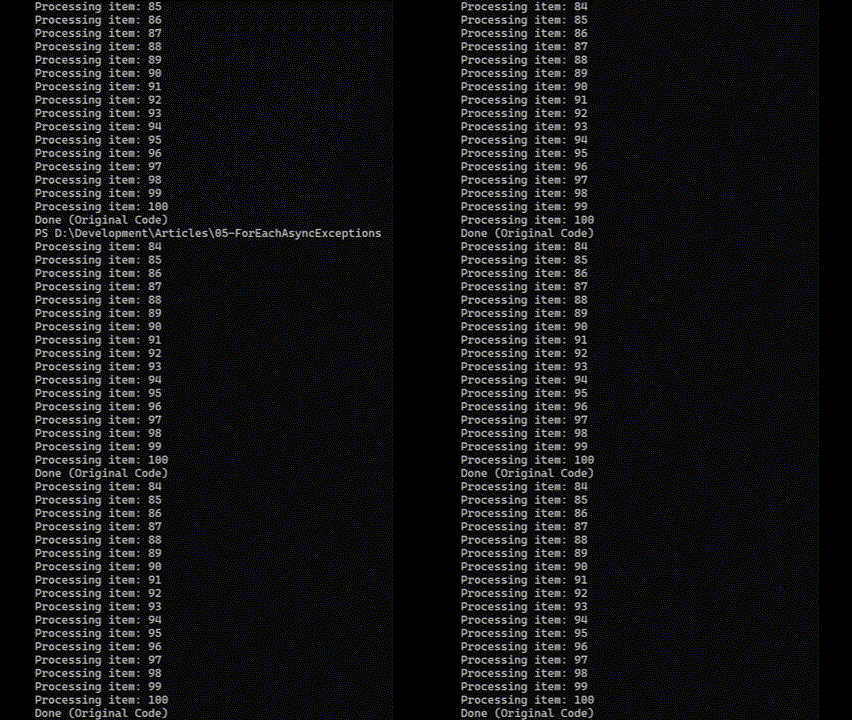
    This code uses a regular foreach loop to iterate from 1 to 100. Inside the loop, we output to the console and simulate some async work with "Task.Delay(10)". This will delay processing for 10 milliseconds. Since this code is running sequentially, it will take about 1 second for the entire loop to complete.

    Here is what the output look like:

    An animation of console output showing "Processing Item: 1" "Processing Item: 2" all the way to "Processing Item: 100". It takes about 1 second to complete the list. At the end "Done (Original Code)" is output.

    Using Parallel.ForEachAsync

    The next step is to change this to a parallel loop:


        static async Task Main(string[] args)
        {
            Console.Clear();
    
            await Parallel.ForEachAsync(
                Enumerable.Range(1, 100),
                async (i, _) =>
                {
                    Console.WriteLine($"Processing item: {i}");
                    await Task.Delay(10); // simulate async task
                });
    
            Console.WriteLine("Done (Original Code)");
        }

    Here are a couple of notes on how this code works:

    First, notice that we "await" the Parallel.ForEachAsync method. The loop runs asynchronously, so if we do not "await" here, then the Main method would keep going. Because of the "await", the last line (writing "Done" to the console) will not run until after all iterations of the loop are complete.

    Next, let's look at the parameters for "ForEachAsync".

    The first parameter (Enumerable.Range(1, 100)) is the IEnumerable to iterate through. This is the same as the "in" part of the non-parallel foreach loop.

    The second parameter is a delegate that has the work we want to run in parallel.

    Delegate Parameter
    This delegate has 2 parameters (which we have as (i, _) here). The "i" parameter is the item in the current iteration of the loop. This is equivalent to the "i" in the foreach loop. We can use "i" inside the delegate body just like we can use "i" inside the body of the foreach loop. 

    The second parameter of the delegate is a CancellationToken. Since we are not dealing with cancellation here, we use a discard "_" to represent this parameter.

    The body of the delegate has the actual work. This is the same as the contents of the foreach loop above. We output a line to the console and then simulate some work with await Task.Delay(10).

    Because we have "await" in the body of the delegate, the delegate itself is also marked with the "async" modifier (before the parameters).

    Output
    Because our code is now running in parallel, it completes much faster. Here is what the output looks like (it is too fast to see well):


    The speed will depend on how many virtual cores are available to do the processing. Parallel.ForEachAsync normally figures out how many resources to use on its own. We'll add some hints to it later on so we can get more consistent results.

    One thing to note about the output is that "100" prints out before "98". This is one of the joys of parallel programming -- order is non-deterministic.

    Now let's move on to see what happens when one or more of these items throws an exception.

    Throwing an Exception

    Here's a method that sometimes throws an exception:


        private static void MightThrowException(int item)
        {
            if (item % 3 == 0)
            {
                Interlocked.Increment(ref TotalExceptions);
                throw new Exception($"Bad thing happened inside loop ({item})");
            }
        }

    This will throw an exception for every 3rd item. (We could hook this up to a random number generator, but this gives us some predictability while we look at results.)

    Interlocked.Increment
    There may be a line of code that does not look familiar here:

        Interlocked.Increment(ref TotalExceptions);

    In this case "TotalExceptions" is a static integer field at the top of our class. This lets us keep track of how many exceptions are thrown.

    "Interlocked.Increment" is a thread-safe way to increment a shared integer. Using the "++" operator is not thread-safe, and may result in incorrect values.

    Exceptions in the ForEachAsync Loop
    Now we'll update the code to call "MightThrowException" inside our loop. Since we do not want an unhandled exception here, we will wrap the whole thing in a try/catch block:


        static async Task Main(string[] args)
        {
            Console.Clear();
            try
            {
                await Parallel.ForEachAsync(
                    Enumerable.Range(1, 100),
                    async (i, _) =>
                    {
                        Console.WriteLine($"Processing item: {i}");
                        await Task.Delay(10); // simulate async task
                        MightThrowException(i);
                        Interlocked.Increment(ref TotalProcessed);
                    });
            }
            catch (Exception ex)
            {
                Console.WriteLine($"Exception: {ex.Message}");
            }
    
            Console.WriteLine($"\nTotal Processed: {TotalProcessed}");
            Console.WriteLine($"Total Exceptions: {TotalExceptions}");
            Console.WriteLine("Done (Original Code)");
        }

    We've changed quite a few things.

    First, we have wrapped the entire "ForEachAsync" call in a try/catch block. This is to make sure we do not have an unhandled exception.

    Next, we have added the "MightThrowException" call inside of our loop. This will throw an exception for every 3rd item.

    Next, we added "Interlocked.Increment(ref TotalProcessed);". This is after the point an exception might be thrown. So if an exception is not thrown, we increment a "TotalProcessed" field (similar to the "TotalExceptions" field). This will give us a count of the items that were processed successfully.

    In the "catch" block, we output the exception message.

    Finally, we have console output for the total number of items processed successfully and the total number of exceptions.

    Output
    Here is the output for this code (note: this output is not animated):


    Processing item: 15
    Processing item: 16
    Processing item: 17
    Processing item: 26
    Processing item: 18
    Processing item: 19
    Processing item: 20
    Processing item: 21
    Processing item: 22
    Processing item: 23
    Processing item: 24
    Processing item: 25
    Processing item: 27
    Exception: Bad thing happened inside loop (6)
    
    Total Processed: 18
    Total Exceptions: 9
    Done (Original Code)

    This is just the last part of the output, but it tells us enough of about what is happening.

    The Issues

    The output shows us the 2 issues from the start of this article. These may or may not concern us, depending on what we are doing. But we do need to be aware of them.

    Hidden Exceptions

    1. If we "await" ForEachAsync, then we get a single exception (even if exceptions are thrown in multiple iterations of the loop).

    When an exception is thrown in a Task, it gets wrapped in an AggregateException. This is because Tasks can be complex (with concurrent and child tasks). An AggregateException wraps up all of the exceptions that happen into a single exception.

    But when we "await" a Task, the AggregateException gets unwrapped for us. This can be good because we now have a "real" exception and do not have to deal with an AggregateException. But it can be bad because it hides the number of exceptions that actually occur.

    Since we "await" the ForEachAsync method, we only see one exception: "Exception: Bad thing happened inside loop (6)". So this is only showing the exception for item #6.

    But we can see in the "Total Exceptions" that 9 exceptions were thrown. The other exceptions are hidden from us here.

    Short-Circuited Loop

    2. The loop short-circuits -- meaning not all items are processed.

    The other thing to notice about the output is that the loop stops processing part way through. Only 27 of the 100 iterations of the loop ran. This is the nature of the ForEachAsync method. If a task throws an exception, the loop stops processing.

    Depending on our scenario, we may want the loop to continue even if one of the iterations throws an exception.

    We deal with both of these items in the next 2 articles.

    A Little Consistency

    Before leaving this code, let's add a little bit of consistency.

    One of the problems with parallel code is that the decision of how many items to run at the same time is left up to the parallel infrastructure. If we have a lot of resources available, then there will be more items run in parallel.

    But this also means that output will vary depending on what machine we are running on (and how many resources that machine has at the time). In this code, my desktop and laptop produce different results. The desktop generally stops after 27 items, the laptop will stop after 17 (sometimes fewer, depending on what else is going on).

    Parallel.ForEachAsync has an optional parameter where we can set the maximum degrees of parallelism. This will limit the number of items run concurrently, and if we set this to a value lower than our machine resources, will also add some consistency to the output.

    Here is our loop with the additional parameter. (This is the final state of our "original-code" project and can be found in the original-code/Program.cs file.)


        await Parallel.ForEachAsync(
            Enumerable.Range(1, 100),
            new ParallelOptions() { MaxDegreeOfParallelism = 10 },
            async (i, _) =>
            {
                Console.WriteLine($"Processing item: {i}");
                await Task.Delay(10); // simulate async task
                MightThrowException(i);
                Interlocked.Increment(ref TotalProcessed);
            });

    This second parameter is a ParallelOptions object that sets the MaxDegreesOfParallelism property to 10. This means that a maximum of 10 items run concurrently. (It may be fewer items if there are not enough resources available.)

    This gives me a consistency between my mid-range machines.


    Processing item: 6
    Processing item: 9
    Processing item: 5
    Processing item: 1
    Processing item: 3
    Processing item: 8
    Processing item: 11
    Processing item: 16
    Processing item: 12
    Processing item: 13
    Processing item: 14
    Processing item: 15
    Processing item: 17
    Exception: Bad thing happened inside loop (9)
    
    Total Processed: 12
    Total Exceptions: 5
    Done (Original Code)

    Now I get a fairly consistent 17 items processed. I want the consistency here so that we can more readily compare results when we look at different ways of handling issues.

    Wrap Up

    So to recap, here are 2 things that we need to be aware of when we use Parallel.ForEachAsync:

    1. If we "await" ForEachAsync, then we get a single exception (even if exceptions are thrown in multiple iterations of the loop).
    2. The loop short-circuits -- meaning not all items are processed.

    This may be fine for the work that we are doing, but we may want to go beyond that. We will tackle the first item in the next article. We'll look at 2 different ways to get all of the exceptions from ForEachAsync, and why we might choose one rather than the other.

    In the 3rd article, we will tackle the issue of short-circuiting. So be sure to check back.

    Happy Coding!

    Friday, October 6, 2023

    Producer/Consumer Exception Handling - A More Reliable Approach

    In the last 2 articles, we looked at a couple of ways to deal with exceptions that can happen when using the Producer/Consumer pattern along with Channel<T> in C#. (Prior articles: "Don't Use 'Task.WhenAll' for Interdependent Tasks" and "Looking at Producer/Consumer Dependencies: Bounded vs. Unbounded Channels".)

    Both of these approaches are short-circuiting, meaning that if the Consumer fails on one item, no further items are processed. The same is true of the Producer: if the Producer fails on one item, no further items are produced. This approach may work fine for particular applications. But what if we want something more robust?
    By handling exceptions inside the Producer and Consumer, errors can be logged and processing can continue.
    We can go back and look at the logged items to determine which items need to be redone. This is a more robust approach to exception handling for our sample application.

    Motivation

    This article is based on a question sent in by Edington Watt regarding a presentation that I did about Channel<T> in C#. He and the WTW ICT Technology team wrote a sample project that showed strange behavior when exceptions are thrown, and he asked the question "What are the best exception handling practices in the Consumer Producer approach using Channel<T>?"

    Today we'll look at handling exceptions in a way that does not short-circuit the process.

    Note: The full source code (including the original sample code and various approaches to fixing the strange behavior is available here: https://github.com/jeremybytes/channel-exceptions.

    Articles

    Interdependent Tasks

    We'll go back to the starting place we used in the previous article. Here are the relevant methods (available in the Program.cs file of the "refactored" project):


        static async Task Main(string[] args)
        {
            try
            {
                await ProducerConsumerWithExceptions();
            }
            catch (Exception ex)
            {
                Console.WriteLine(ex.Message);
            }
    
            Console.WriteLine("Done");
        }
    
        static async Task ProducerConsumerWithExceptions()
        {
            var channel = Channel.CreateBounded<int>(new BoundedChannelOptions(10));
    
            Task producer = Producer(channel.Writer);
            Task consumer = Consumer(channel.Reader);
    
            await Task.WhenAll(producer, consumer);
        }

    I won't go through this code again here. Check the prior article for a walkthrough. This code works fine for the success state, but it has strange behavior if the Consumer throws an exception.

    Consumer Exception

    If the Consumer throws an exception while processing an item, the entire application hangs:


    Producing something: 0
    Producing something: 1
    Consuming object: 0
    Producing something: 2
    Producing something: 3
    Producing something: 4
    Producing something: 5
    Producing something: 6
    Producing something: 7
    Producing something: 8
    Producing something: 9
    Producing something: 10
    Producing something: 11
    

    Here's a reminder of what happens:

    In the "ProducerConsumerWithExceptions" method, we create a Bounded Channel. This means that the capacity of the channel is limited to 10 items. When the channel has reached that capacity, no new items can be written to it until space is made available for them.

    The Consumer reads one item off of the channel (index 0) and then throws an exception. The Consumer then stops, and no further items are read off of the channel.

    The Producer produces data and puts it onto the channel. The first items produced (index 0) is pulled off of the channel by the Consumer. The Producer keeps going and puts 10 more items onto the channel (indexes 1 through 10).

    Then the Producer produces index 11 and tries to put it onto the channel. At this point, the channel is at capacity (it has 10 items already), so the Producer waits (in an async-friendly way) for there to be space to write the next item.

    And this is where the application hangs. The Producer will wait forever. Since "Task.WhenAll" is waiting for the Producer and Consumer to both finish, it will also wait forever. The application will not exit on its own.

    No Handling of Exceptions in the Producer/Consumer

    One cause of the behavior is that the Producer and Consumer do not handle their own exceptions. They let them bubble up and (hopefully) get caught in the Main method's try/catch block.

    Consumer

    Here is the code for the Consumer (in the "Program.cs" file in the "refactored" project):


        static async Task Consumer(ChannelReader<int> reader)
        {
            await foreach (var item in reader.ReadAllAsync())
            {
                Console.WriteLine($"Consuming object: {item}");
                MightThrowExceptionForConsumer(item);
            }
        }

    This uses the "ReadAllAsync" method on the "ChannelWriter<T>" class to read the items off of the Channel as they become available.

    The call to "MightThrowExceptionForConsumer" throws an exception. (Although it has "might" in the name, it is hard-coded to always throw an exception here.) And because the exception is unhandled, the "foreach" loop will exit.

    This relies on the exception eventually making its way back to the "Main" method where it will be caught and logged in the catch block.

    Producer

    The Producer code is similar (in the same "Program.cs" file in the "refactored" project):


        static async Task Producer(ChannelWriter<int> writer)
        {
            try
            {
                for (int i = 0; i < 20; i++)
                {
                    Console.WriteLine($"Producing something: {i}");
                    MightThrowExceptionForProducer(i);
                    await Task.Delay(10);
                    await writer.WriteAsync(i);
                }
            }
            finally
            {
                writer.Complete();
            }
        }

    This uses a "for" loop to generate 20 items and write them to the Channel using "WriteAsync". This could also throw an exception in the "MightThrowExceptionForProducer" method (although for this sample, it is hard-coded to not throw an exception).

    If an exception is thrown in the "for" loop, the loop will exit before finishing. And although we do not have a "catch" block to catch an exception, we do have a "finally" block.

    In the "finally" block we mark the ChannelWriter as "Complete". This lets the Consumer know that no new items will be added to the Channel, and the Consumer can stop waiting for new items. This is in a "finally" block because even if we get an exception, we want to make sure that the ChannelWriter is marked "Complete".

    But as with the Consumer, the Producer relies on the exception bubbling up to the "Main" method where it should be logged in the "catch" block.

    Adding Exception Handling to the Producer and Consumer

    A more reliable way of dealing with exceptions is to handle them inside the Producer and the Consumer. This also has the effect of removing the dependency between the Producer and Consumer that we saw earlier. With the dependency removed, we can use a Bounded Channel if we need to, and we can also use "Task.WhenAll" to wait for the Producer and Consumer tasks to complete.

    The code for this section is available in the "doesnt-stop" project.

    Consumer

    Here is the code for the updated Consumer (in the "Program.cs" file in the "doesnt-stop" project):

        static async Task Consumer(ChannelReader<int> reader)
        {
            await foreach (var item in reader.ReadAllAsync())
            {
                try
                {
                    Console.WriteLine($"Consuming object: {item}");
                    MightThrowExceptionForConsumer(item);
                    TotalConsumed++;
                }
                catch (Exception ex)
                {
                    Console.WriteLine($"Logged: {ex.Message}");
                }
            }
        }

    Here we have added a try/catch block inside of the foreach loop. This means that if an exception is thrown, it will be caught and logged here, and the loop will continue to the next item.

    The Consumer is no longer short-circuiting. So we do no longer need to worry about the Consumer stopping before it has read all of the items from the Channel.

    One other new item is "TotalConsumed++". This is a static variable that is updated with the total number of items successfully processed (it is after the "MightThrow..." method). This lets us track how many items were successful in the Consumer.

    Producer

    We have something very similar in the Producer (in the "Program.cs" file in the "doesnt-stop" project):

        static async Task Producer(ChannelWriter<int> writer)
        {
            for (int i = 0; i < 100; i++)
            {
                try
                {
                    Console.WriteLine($"Producing something: {i}");
                    MightThrowExceptionForProducer(i);
                    await Task.Delay(10);
                    TotalProduced++;
                    await writer.WriteAsync(i);
                }
                catch (Exception ex)
                {
                    Console.WriteLine($"Logged: {ex.Message}");
                }
            }
    
            writer.Complete();
        }

    Inside the "for" loop, we have a try/catch block. So if an exception is thrown, it is caught and logged, and the loop processing will continue.

    Marking the ChannelWriter "Complete" no longer needs to be in a "finally" block. We will not have any unhandled exceptions escape here (and if we did get one, it would probably be an unrecoverable one).

    One other new item is "TotalProduced++". This is a static variable that is updated with the total number of items successfully produced (it is after the "MightThrow..." method). This lets us track how many items were successful in the Producer.

    Throwing Exceptions

    To make the output more interesting, the methods that might throw exceptions use a random number generator to see if an exception should be thrown (in the "Program.cs" file in the "doesnt-stop" project):

        private static void MightThrowExceptionForProducer(int item)
        {
            if (Randomizer.Next() % 3 == 0)
                throw new Exception($"Bad thing happened in Producer ({item})");
        }
    
        private static void MightThrowExceptionForConsumer(int item)
        {
            if (Randomizer.Next() % 50 == 0)
                throw new Exception($"Bad thing happened in Consumer ({item})");
        }
    The Producer throws an exception 1 out of 3 times (approximately). The Consumer throws an exception 1 out of 50 times (approximately).

    Program Output

    So lets see how this program behaves. We only modified the Producer and Consumer code. The original "Main" and "ProducerConsumerWithExceptions" are unchanged. To give us more of a chance to get random exceptions, I also changed the code so that it produces 100 items (instead of 20).

    Consuming object: 90
    Logged: Bad thing happened in Producer (91)
    Producing something: 92
    Producing something: 93
    Consuming object: 92
    Producing something: 94
    Consuming object: 93
    Logged: Bad thing happened in Producer (94)
    Producing something: 95
    Producing something: 96
    Consuming object: 95
    Producing something: 97
    Consuming object: 96
    Producing something: 98
    Consuming object: 97
    Logged: Bad thing happened in Consumer (97)
    Producing something: 99
    Consuming object: 98
    Consuming object: 99
    Total Produced: 69
    Total Consumed: 66
    Done
    This is just the tail end of the output. It shows several logged items (2 Producer errors and 1 Consumer error).

    Notice that the Total Produced (69) and Total Consumed (66) do not match. This is because the Producer only produced 69 items (of the 100), so the Consumer had a chance to process at most 69 items. The Consumer also generated a few errors (3), so it is showing 3 fewer items.

    "Done" is printed out at the bottom. This lets us know that the application ran to completion and exited.

    A More Reliable Approach

    Our application is more reliable when the Producer and Consumer can deal with their own exceptions. This is not always possible, but it is a good approach for the sample code that we have here.

    But we always need to consider what our particular program is doing. I had a great question come up in a recent workshop. The developer asked, 
    "If we get an error in the Consumer, can we just put the item back onto the Channel for it to try again?"
    If the application has random hiccups that can be solved by re-processing, then maybe this is a good solution. But there is a problem: what if it isn't a random hiccup?

    If the Consumer fails every time it tries to process a particular record, then putting it back on the Channel will only create an endless loop of failures.

    One approach that we came up with was to have a separate Channel for errors. So if the Consumer failed to process an item, it would put it on the error channel. This would be processed in a different workflow. For example, the Consumer of the error channel could try to process the item again and then log an error if it was unsuccessful. This would give the application a chance to try again (to handle the random hiccups) and also to log errors for items that could not be processed at all.

    Wrap Up

    As with most code, there are a lot of options. When I'm writing code, I usually spend a lot more time thinking than typing. Working through different scenarios lets me come up with a solution at a high level and figure out how all of the pieces fit together. Typing the code is the easy part.

    Happy Coding!

    Friday, September 11, 2020

    "await Task.WhenAll" Shows One Exception - Here's How to See Them All

    When we use "await" in C#, we can use the typical try/catch blocks that we're used to. That's a great thing, and it makes asynchronous programming a lot easier. 

    One limitation is that "await" only shows a single exception on a faulted Task. But we can use a little extra code to see all of the exceptions.

    Let's take a closer look at what happens when we "await" a faulted Task and how we can take more control if we need it. 

    Background

    Tasks in C# are very powerful. They can be chained together, run in parallel, and set up in parent/child relationships. With this power comes a bit of complexity. One part of that is that tasks generate AggregateExceptions -- basically a tree structure of exceptions.

    When we "await" a Task, it unwraps the AggregateException to give us the inner exception. This makes our code easier to program, and often there will only be one inner exception. But when there are multiple exceptions, we lose visibility to them.

    This topic came up in a virtual training class that I did this past week. We were looking at parallel processing that included exception handling. We didn't have time to dig into this in the class, so I did some experimentation after.

    Note: the code for this article (and the rest of the virtual training class) is available on GitHub: https://github.com/jeremybytes/understanding-async-programming.

    The projects that we'll use today are "People.Service" (the web service), "TaskAwait.Library" (a library with async methods), and "TaskException.UI.Console" (a console application).

    If you're completely new to Task, you can check out the articles and videos listed here: I'll Get Back to You: Task, Await, and Asynchronous Methods in C#.

    Parallel Code

    For this sample code, we have a console application that calls a web service multiple times. It is called for each record we want to display (for this scenario, we might only want a handful of records rather than the entire collection).

    Starting the Service

    If you want to run the application yourself, you'll need to start the "People.Service" web service. To do this, navigate your favorite terminal to the "People.Service" folder and type "dotnet run".


    This shows the service listening at "http://localhost:9874". The specific endpoint we're using here is "http://localhost:9874/people/3" (where "3" is the id of the record that we want).

    Running in Parallel with Task

    The "TaskException.UI.Console" project has a single "Program.cs" file. This is where we have our parallel code. Here is an excerpt from the "UseTaskAwaitException" method (starting on line 61 of the Program.cs file):

    This section sets up a loop based on the IDs of the records we want to retrieve.

    The loop starts with a call to the "GetPersonAsyncWithFailures" method that returns a task (we'll look at this method in a bit). Note the "WithFailures" is there because I created a separate method to throw arbitrary exceptions.

    The resulting task is added to the a task list that holds a reference to all of the tasks.

    Then we set up a continuation on that task. When the task is complete, it will output the record to the console. Note that this is marked with "OnlyOnRanToCompletion", so this continuation only runs on success; it will not run if an exception is thrown.

    As a last step in the loop, we add the continuation task to our list of tasks.

    Because nothing is "await"ed in this block of code, all of the tasks (9 altogether) are generated very quickly without blocking. So these will run in parallel.

    Outside of the loop, we use "await Task.WhenAll(taskList)" to wait for everything to complete.

    This will wait for all 9 tasks to complete before continuing with the rest of the method.

    The Happy Path

    When no exceptions are thrown, this outputs 9 records to the console. Here is a screenshot from the "Parallel.UI.Console" project (which calls a method that does *not* throw exceptions):

    This shows us all 9 records. Now let's see what happens when there are exceptions.

    Throwing Arbitrary Exceptions

    As mentioned above, the method we're calling for testing throws some arbitrary exceptions. Our method is called "GetPersonAsyncWithFailures". Here is an excerpt from that (starting on line 75 of the TaskAwait.Library/PersonReader.cs file):

    This method has two "if" statements that throw exceptions. If the "id" parameter is "2", then we throw an InvalidOperationException. If the "id" parameter is "5", we throw a "NotImplementedException".

    These exceptions are completely arbitrary. We just need multiple calls to this method to fail so we can look at the aggregated exceptions.

    "await Task.WhenAll" Shows One Exception

    As a reminder, here's the code that we're working with (starting on line 61 of the Program.cs file in the "TaskException.UI.Console" project):

    As noted above, the "foreach" loop will run the async method 9 times (with 9 different values). Two of these values will throw exceptions.

    We don't need to look for these exceptions in the continuation since we marked it with "OnlyOnRanToCompletion" -- the continuation only runs for successful tasks.

    The good news is that when we "await" a faulted Task (meaning, a Task that throws an exception), the exception is automatically thrown in our current context so that we can use a normal "try/catch" block.

    When we use "await Task.WhenAll(tasklist)", it will throw an exception if any of the tasks are faulted.

    Since we have 2 faulted tasks here, that's exactly what happens.

    Here's a bit more of the "UseTaskAwaitException" method (starting on line 76 of the Program.cs file);

    The top of this block shows the "await Task.WhenAll" call. Then we have catch blocks to handle cancellation or exceptions. The "OutputException" method shows several of the properties of the exception on the console (the details are in the same "Program.cs" file if you're interested).

    Let's run this method to see what happens. To run the application, navigate (using your favorite terminal) to the "TaskException.UI.Console" folder and type "dotnet run".

    This will bring up the console application menu:

    The code we've seen so far is part of option #1 "Use Task (parallel - await Exception)". If we press "1", then we get the following output:

    The output shows us 7 records (since 2 of the 9 failed). And it shows us the "InvalidOperationException" that is thrown for ID 2.

    But it does *not* show us the other exception that was thrown.

    We'll dig the exception out of the Task directly and look at its values. Then it will be a little more clear what "await" is doing here.

    Getting All of the Exceptions

    As mentioned at the beginning, Task is very powerful. Because of the various ways that we can chain tasks or run them in parallel, Task uses what's known as an "AggregateException". This contains all of the exceptions that happen in relation to the task.

    To see this we will do something a little different with the "Task.WhenAll" method call.

    "Task.WhenAll" returns a Task (and this is why we can "await" it). But we can also set up our own continuation to see the details of what happened.

    We have a separate method where we've done just that. Let's look at the loop on the "UseTaskAggregateException" method (starting on line 106 of the Program.cs file):

    The "foreach" loop is that same as the prior method, but the "await" is different.

    The continuation that is set up here is marked as "OnlyOnFaulted", so it will only run if at least one of the Tasks throws an exception. The "task.Exception" property has the AggregateException that is mentioned above.

    The "OutputException" method show different parts of the exception. The details are in the "Program.cs" file if you're interested. Otherwise, we can look at the output to see what is in the exception.

    Note: we are still using "await", but we are not awaiting the "WhenAll". Instead, we are awaiting the continuation task on "WhenAll". This will still pause our method until all of the tasks are complete (including this final continuation). It can get a bit confusing when mixing "await" with directly using Task.

    If we re-run the console application and choose "2" this time (for "Use Task (parallel) - view AggregateException"), we get the following output:

    The output shows the 7 successful records, but the exception is different from what we saw earlier.

    Instead of the "InvalidOperationException", we get an "AggregateException". The exception message shows us that "One or more errors occurred", and it also concatenates the inner exception messages.

    Also note that there is an "InnerException" property that has the "InvalidOperationException". This is the exception that is shown when used "await" above.

    But an AggregateException also has an "InnerExceptions" property (which is a collection). If we iterate over this, we find both of our exceptions: the "InvalidOperationException" and the "NotImplementedException".

    When we use a continuation to check a Task exception directly, we get more details than when we use "await". The good news is that we can iterate over these inner exceptions and pass them along to our logging system.

    Changing the Order

    I was wondering if the exception that "await" shows for this code is deterministic. And it turns out that it is.

    As an experiment, I reversed the order of the task list before passing it to "WhenAll". Here's the code for the "await" block:

    With the reverse in place, we get a different output:

    The output shows us the other exception that was generated - the NotImplementedException for ID 5.

    We can also reverse the task list before sending it to the continuation:

    The output shows us a bit better what is happening:

    By looking directly at the AggregateException, we can see that the "InnerException" is now the one related to ID 5 (which is shown when we "await" things above).

    Looking at the "InnerExceptions" collection, we see that the order is reversed. The ID 5 exception is first, and the ID 2 exception is second.

    So when it comes to awaiting "Task.WhenAll", it appears that the exception we ultimately get is based on the order of the Tasks that are passed to the "WhenAll" method. Fun, huh?

    Is This Important?

    So how much do we need to care about this? The typical answer I would give is "probably not much". Tasks are extremely powerful, but we often do not need that power. And that's why "await" exists.

    "await" gives us the 95% scenario. A common scenario I have is that I need to call an asynchronous method, wait for it to finish, do something with the result, and handle exceptions. If I only need to wait for one method at a time, then "await" works perfectly for this.

    When we need to step outside of this scenario, it's good to understand how to use Task more directly. By understanding the process of setting up continuations and unwrapping AggregateExceptions, we can take more control of the situation when we need it.

    Often we only care that "an exception happened". This lets us know that our application is in a potentially unstable state, and we need to handle things accordingly. We do not care about all of the details of what went wrong, and "await" is all we need. Whether we need to dig deeper depends on the needs of the users and the application.

    If you want more information about using Task and await, you can check out the articles and video series on my website: I'll Get Back to You: Task, Await, and Asynchronous Methods in C#.

    Happy Coding!